Currency Conversion within the content area
This document describes the feature which allows converting the price from merchant to end customer currencies on the Storefront.
If you have pricing shown within the body of content asset, slot, promotion callout message, etc/ and need to have them converted for Global‑e operated countries, use the following syntax to specify the pricing amount in your HTML content.
'data-ge-convert-price' - is required to add inside of processed HTML tag.
'data-original-price' - is required for currency/price conversion of value in the original currency and can be used with any of the HTML tags
Currency Conversion for Amount
<span data-ge-convert-price data-original-price="300">$300</span>
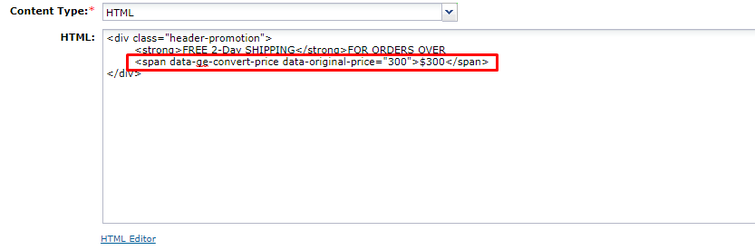
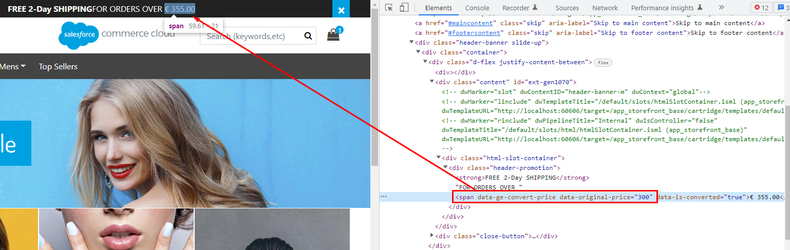
'data-is-discount' - is optional for currency/price conversion. If the attribute is set to true, the conversion will not take the pricing coefficient and rounding into account.
For example:
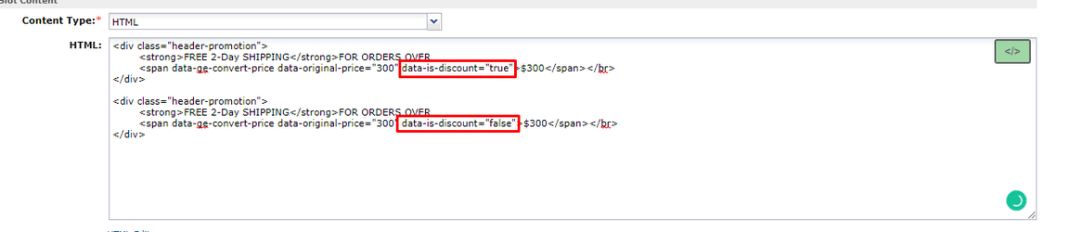
Currency conversion for discount amount
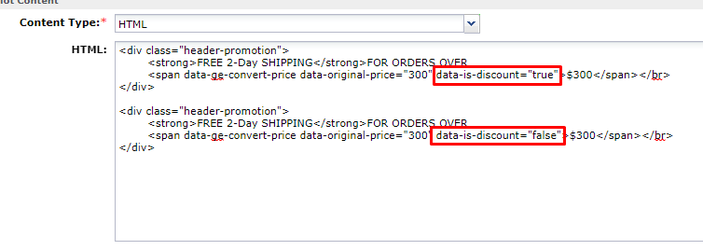
<span data-ge-convert-price data-original-price="300" data-is-discount="true">$300</span>
 |
'data-product-id' - is required for currency/price conversion of the product's price. If the attribute contains a value, it means that the converted price is related to the product and to the price should be applied to tax rates, product coefficients, etc.
We recommend doing price conversion for products on the client-side only in some really specific cases. By default it should be used in backend conversions.
For example:
<span data-ge-convert-price data-product-id='793775064963M'></span>
 |
Summary
The feature described in this document allows performing price conversions on the client-side from the base currency to the specified end-customer currency. It is possible to convert price value OR show product price in specified end-customer currency.
If you need to convert the product price value then the
data-product-idattribute should exist in the HTML tag (the attribute has the highest priority and thedata-original-priceattribute is skipped in this case).If you need to convert the price value then the
data-original-priceattribute should exist in the HTML tag.
If both the data-product-id and data-original-price attributes exist in the HTML tag then only the value of data-product-id is factored. The value of data-original-price is skipped.