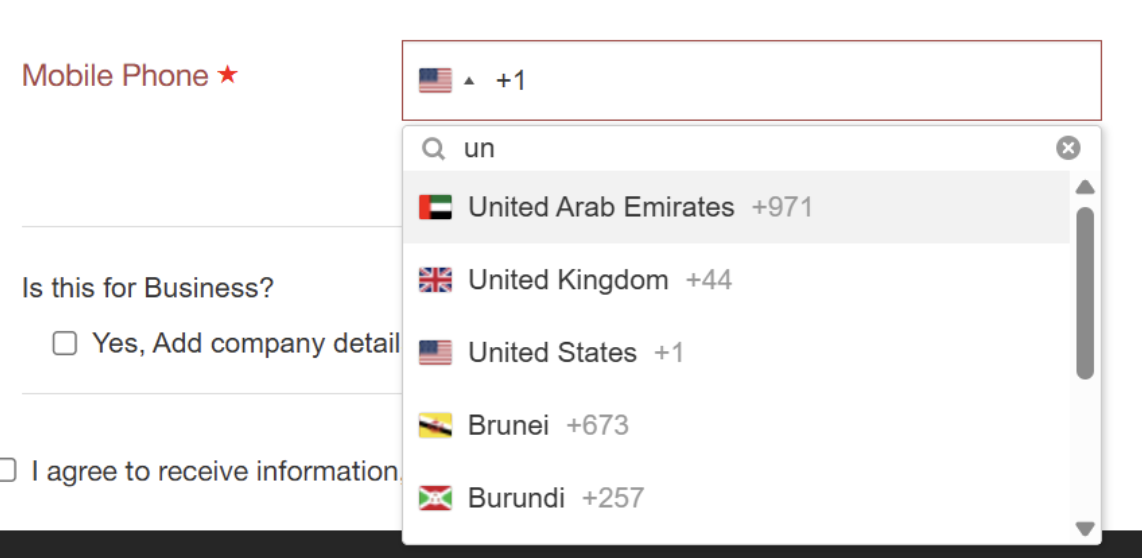
Phone Validation Flow in Checkout
Why We Introduced This Change
Shoppers often enter phone numbers in inconsistent ways—missing country codes, typing leading zeros, or using invalid formats. This leads to:
Failed deliveries or shipping delays.
Checkout errors that block order completion.
To solve this, we’ve launched a new phone validation flow (for merchants who use the dropdown phone field). It ensures all shopper phone numbers are collected, validated, and stored in a consistent, global format.
What’s New for Merchants
Structured validation: Phone numbers are automatically checked and formatted to international E.164 standards on the server side.
Real-time feedback: Shoppers still receive clear guidance while typing, but validation that previously failed on the client side now succeeds after being corrected on the backend.
Data accuracy: Stored numbers are always valid, deliverable, and standardized.
Configuration: You can enable validation globally or per-country.
Shopper Experience in Checkout
Before (old flow):
Shopper types 09876543211 → checkout rejects the number immediately on the client side.
Now (new flow):
Shopper types 09876543211 (UK) → shopper sees no blocking error; system auto-removes the leading zero on the server side and saves as +449876543211.
Shopper types invalid characters (98765abc321) → shopper receives a clear error message with guidance to fix the input.

Configuration and Enablement
This feature applies only if you use the dropdown phone field in checkout. If you’d like to enable this feature, contact your Global-e representative.
Setting | Behavior |
|---|---|
IsPhoneNumbersNewFlow = false | Current validation logic remains. |
IsPhoneNumbersNewFlow = true | New validation applies to all countries. |
IsPhoneNumbersNewFlow = per-country | New validation applies only in selected markets. |
UseCustomPhoneNumberValidation = true | Merchant-specific rules override global validation. |
Examples of Allowed Inputs
The following table shows examples of allowed inputs:
Shopper Input | Selected Country | Saved Output | Accepted? |
|---|---|---|---|
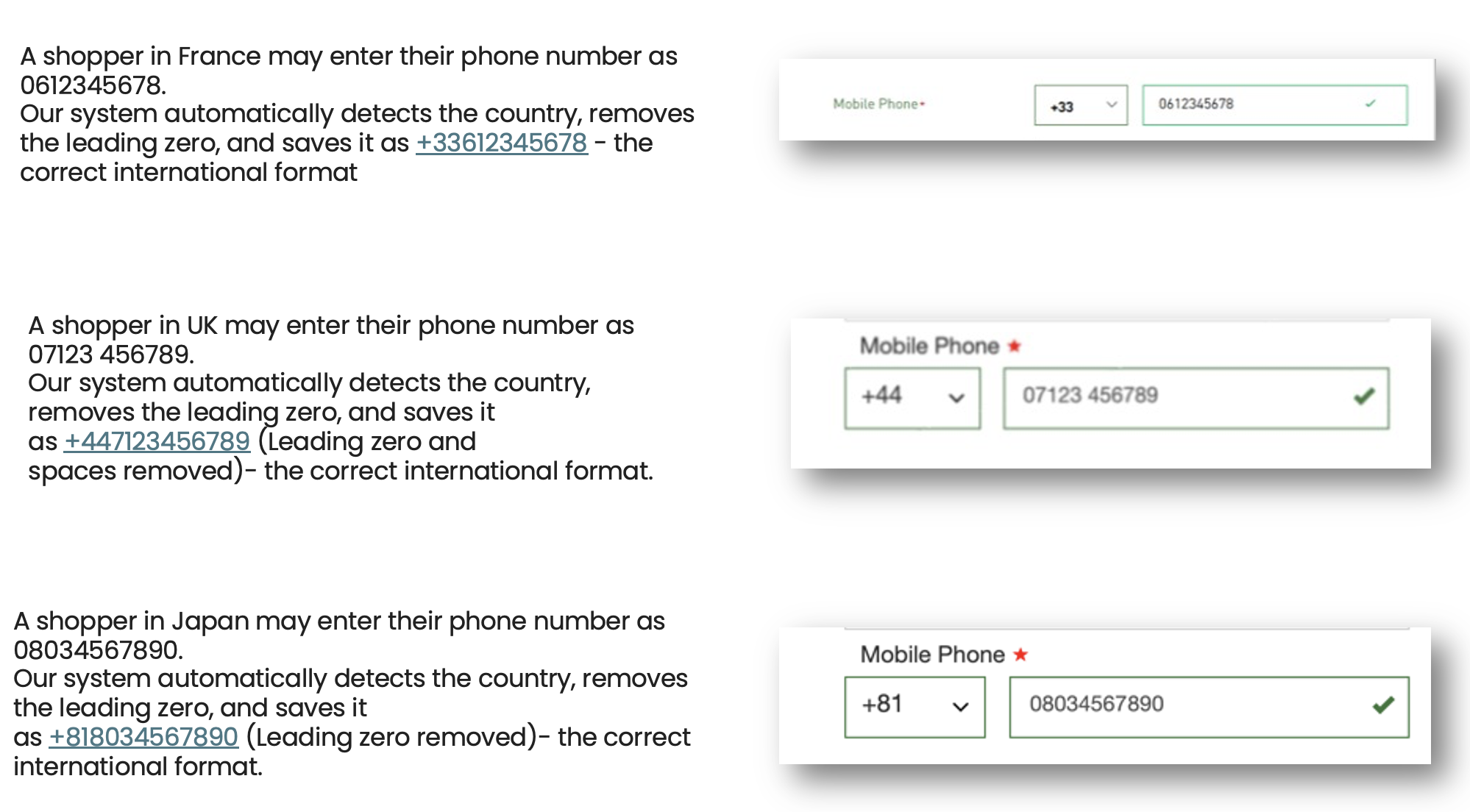
9876543211 | USA | +19876543211 | Yes |
02081234567 | UK | +442081234567 | Yes |
20812 34567 | UK | +442081234567 | Yes |
08034567890 | Japan | +818034567890 | Yes |
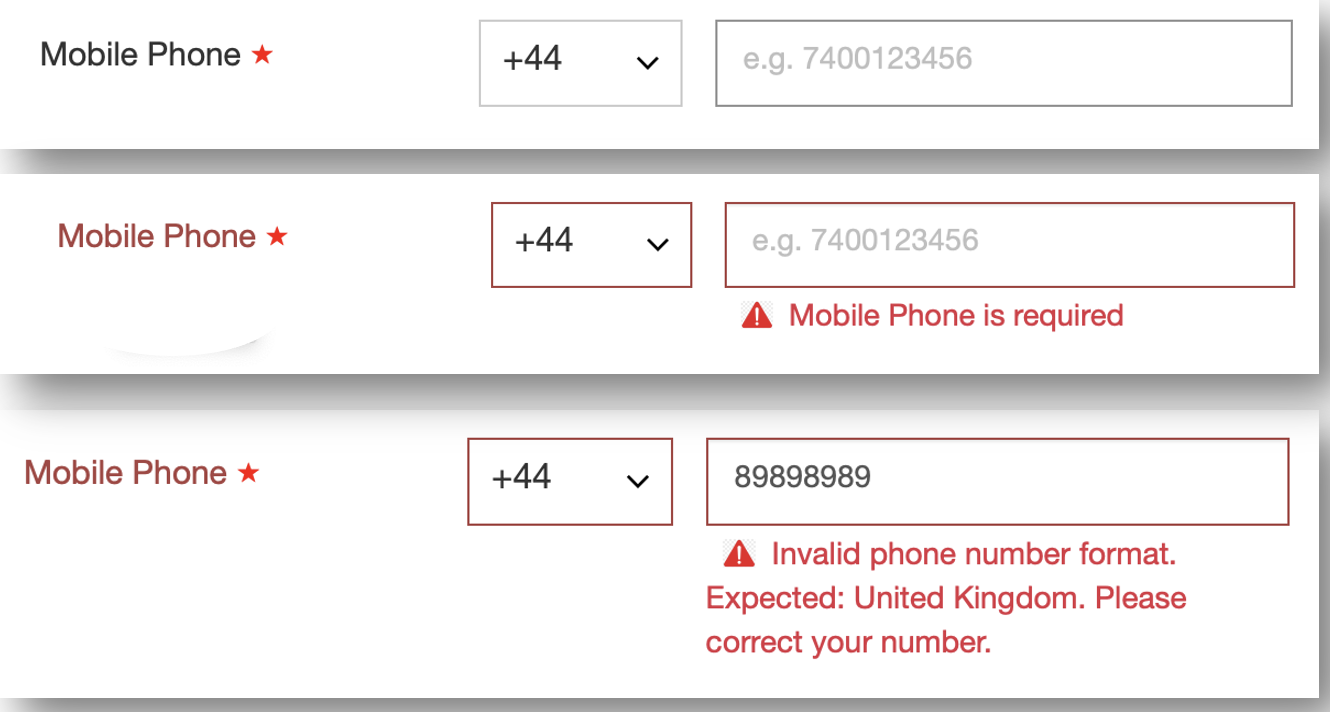
The following figure shows the error message that occurs when you leave a mandatory field blank or enter an invalid number.
The following figure shows how correct information looks.
Shopper Error Messages
If a shopper enters an invalid number, the following error message is displayed.
“Invalid phone number format. Expected phone country: {Country Name}. Please adjust your number accordingly.”
Benefits for Merchants
📦 Fewer failed shipments due to invalid numbers.
💬 Clear shopper guidance reduces support tickets.
📊 Clean, standardized phone data across your orders.
🚀 Proven impact on conversion rates by removing friction.
New UI Experience:
Easy country search by name or code.
Restricts input to digits only for cleaner validation.