Shipping Method Code
The Global-e extension creates a new shipping method in Magento to support international orders coming in via the Global-e API. The carrier code is named Globale and is titled International Shipping. Per the merchant’s request, additional mapping can be defined to enable different shipping methods in Magento (based on the shipping methods selected in the Global-e checkout).
The Magento database stores the following default values in tables quote_shipping_rate:

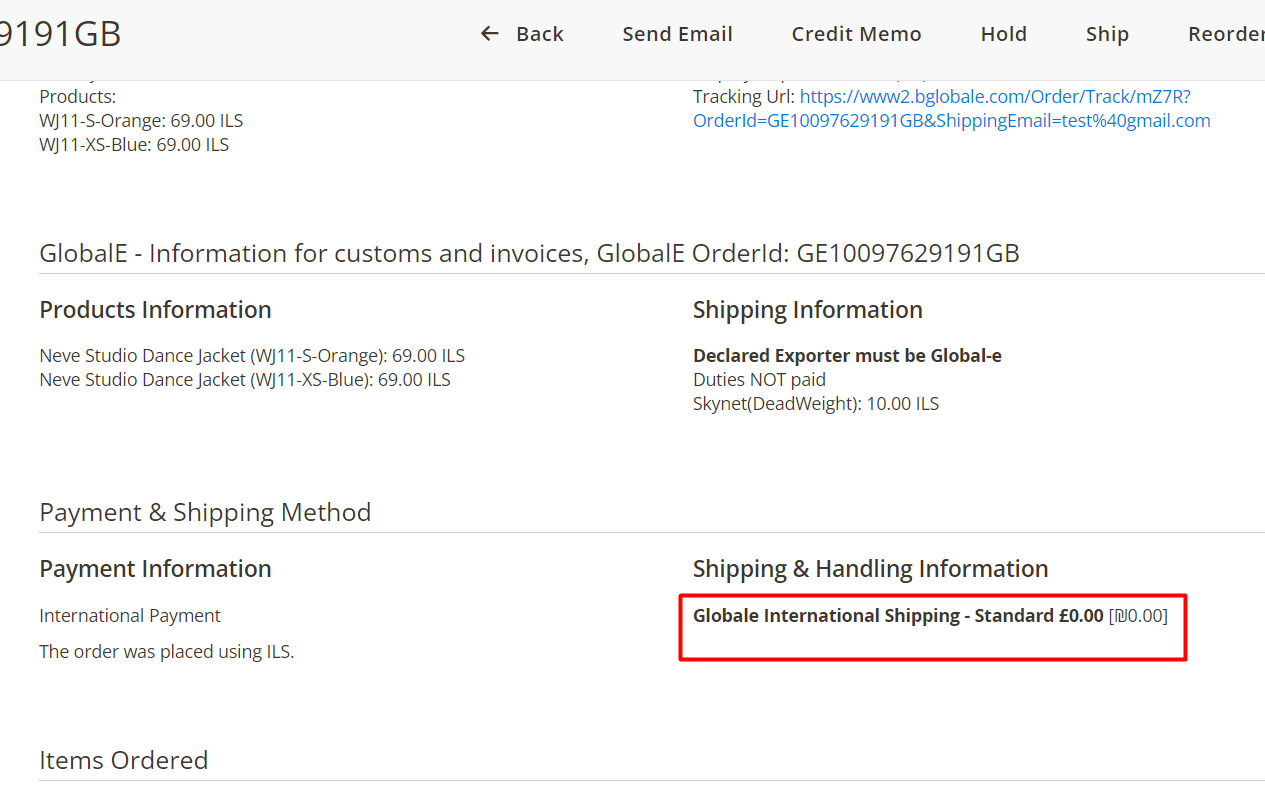
The information is displayed in Magento Admin:
Shipping Method Configurations
In Magento Admin you can add mapping that changes the data for a specific carrier.
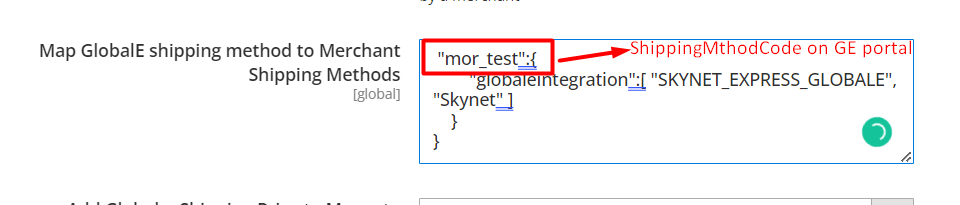
In the Global-e admin add a
shippingMethodCode.In the example below the code shippingMethodCodeis added.

In Magento Admin Navigate to Stores > Configuration > Services > Global-e Integration Lite > Shipment.
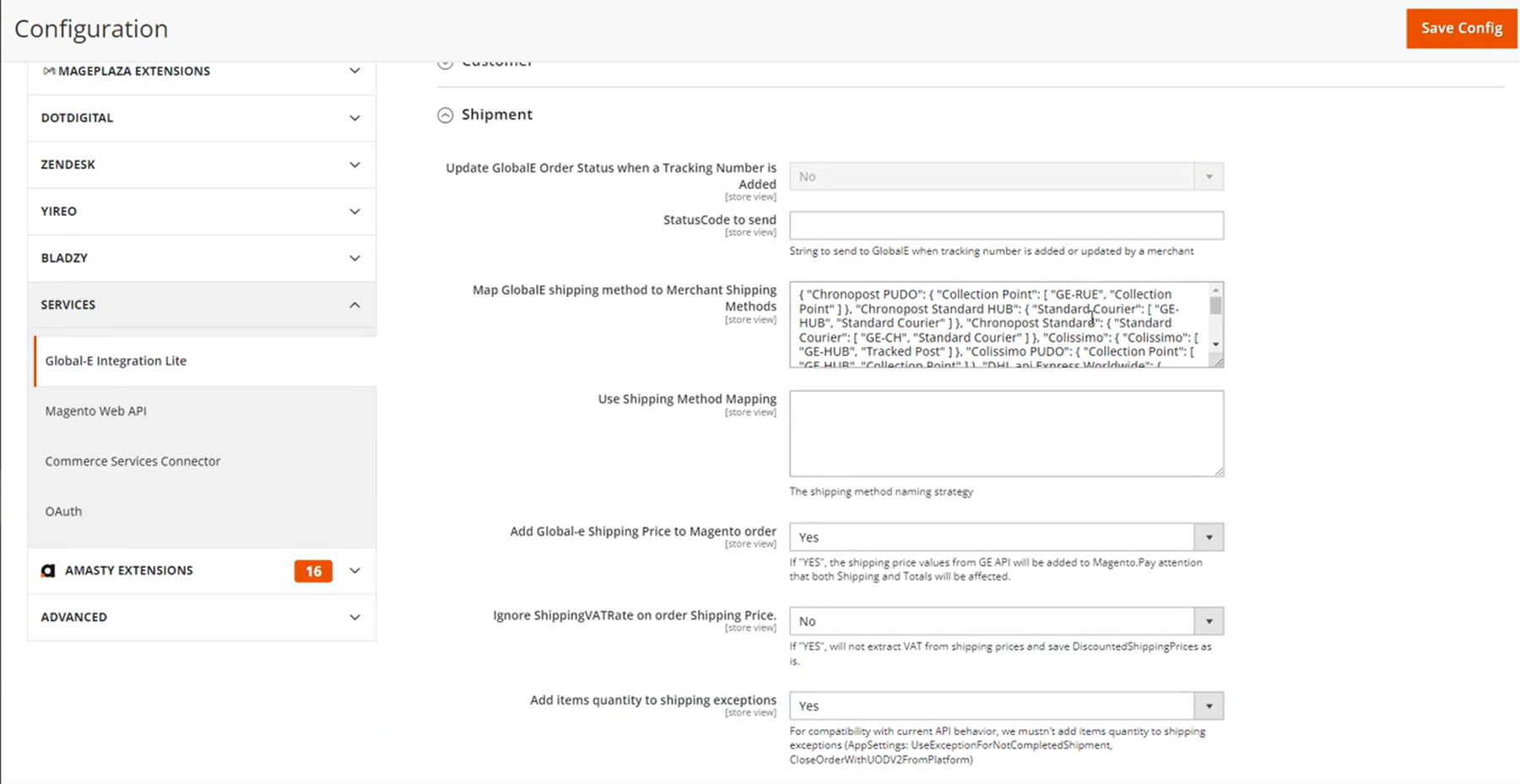
In Map GlobalE shipping method to Merchant Shipping Methods add mapping to change data for a specific carrier.
  {
         "geShippingMethodCode":{
                  "newCarrierName":[ "methodCode", "methodName" ]}
Example:
{
    "mor_test":{
        "globaleintegration":[
          "SKYNET_EXPRESS_GLOBALE",
          "Skynet" ]
    }
}
{
    "mor_test":{
        "globaleintegration":[
          "SKYNET_EXPRESS_GLOBALE",
          "Skynet" ]
    }
}