

Prerequisites
You can check your plugin version by going to Modules → Module manager

What you need to do
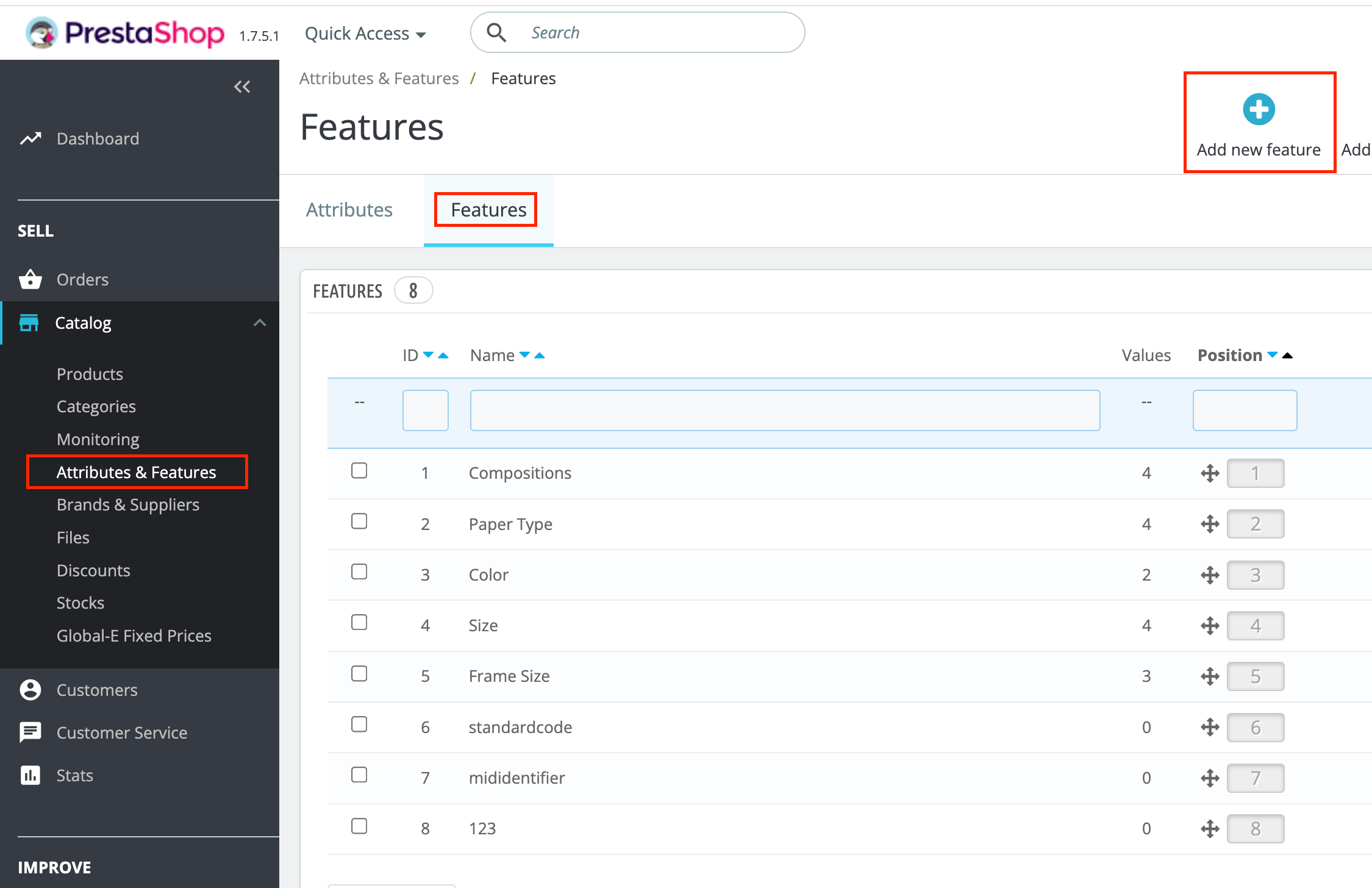
- Create the features. Navigate to Catalog, then Attributes & Features, then Features. Create features named exactly
eudrDdsReferenceandeudrTaricCode.
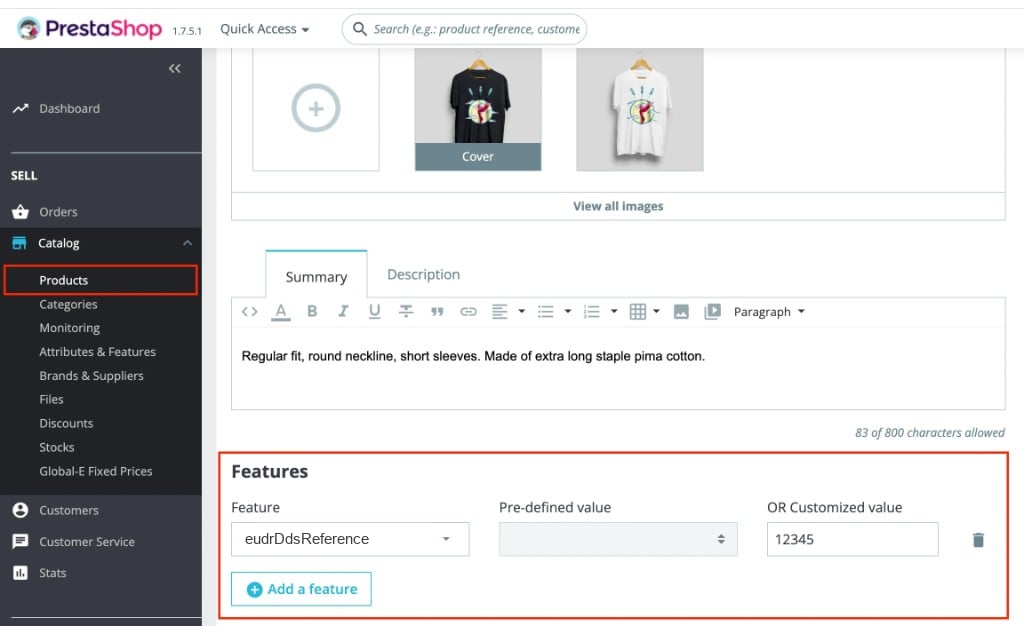
- Set values per product. On each product, open the Features tab and assign a customised value for each feature. Leave a feature blank when you have nothing to send.
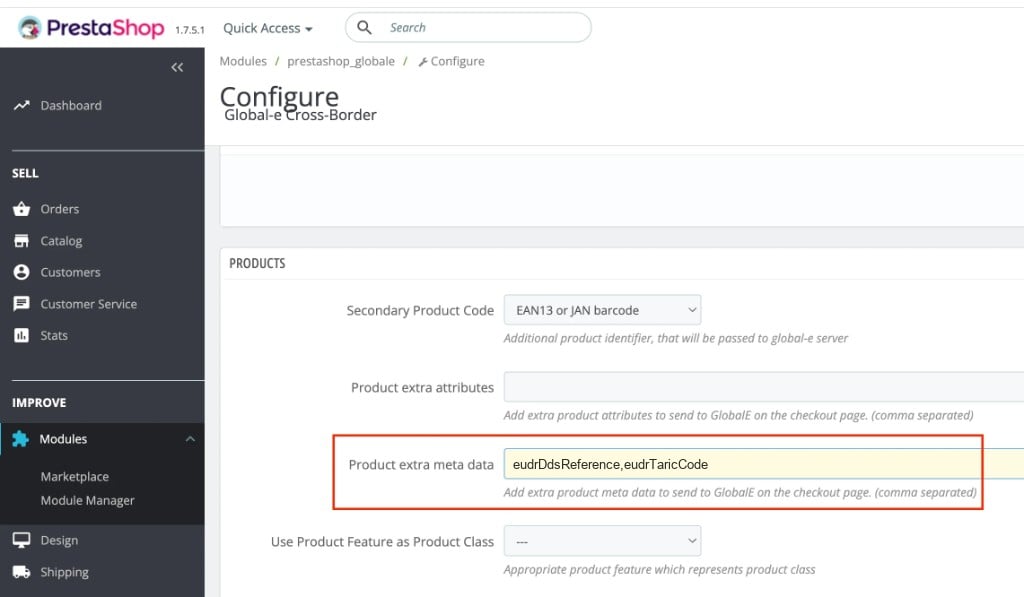
- List the features in the module. Navigate to Modules, then Module Manager, then Global-e Cross-Border, then Configure, then Products. In Product extra meta data, add the feature names comma-separated:
eudrDdsReference,eudrTaricCode. If you already list EU Product Identifiers features, append the EUDR names to the same list.
- Save the module settings, place a test order, and confirm the values appear when populated and are omitted when blank.
Do not use the native combination EAN-13. It does not populate the EUDR keys. Use PrestaShop Features instead.
Features are set per product. PrestaShop Features are set once per product, so all combinations of a product share the same EUDR values. If different variants of a product need different values, use separate products or confirm alternatives with your Global-e contact.
Key points
- Use Features plus the Product extra meta data setting, not the native combination EAN-13.
- The values are sent under the keys
eudrDdsReferenceandeudrTaricCode. - Omit, don’t fake. Leave a feature blank when you have no value. Never enter NA, 0 or -.