

Before you start
- Have your new Merchant GUID to hand.
- Your Merchant ID does not change.
- Questions? Contact your Global-e account manager.
Production
1
Open the Global-e site preferences
Open Merchant Tools > Site Preferences > Custom Preferences > GLOBALE.
2
Update the Merchant GUID
Update Merchant GUID (
geMerchantGuid) with the new GUID.3
Save
Save.
4
Repeat per site
Repeat for every Global-e-operated site on the instance — Site Preferences are set per site.
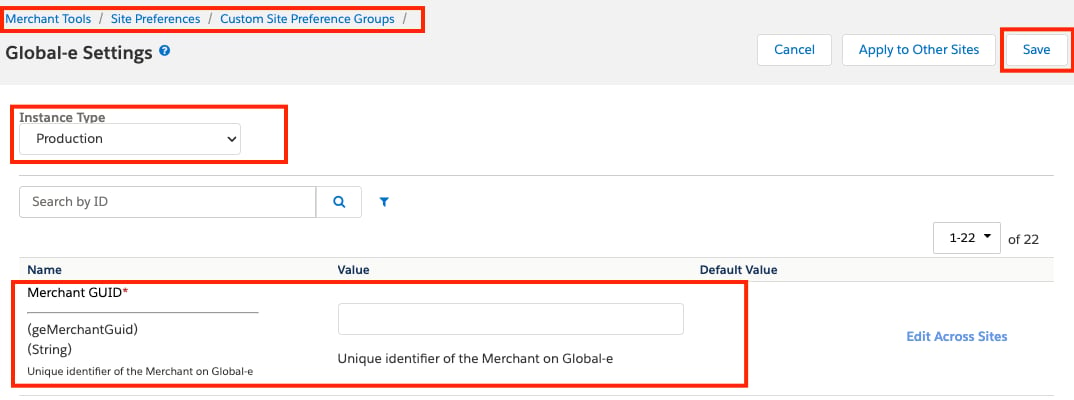
geMerchantGuid) field under Custom Site Preference Groups:
Staging
Follow the same process as Production, then complete the additional steps below.1
Check the GlobaleProducts job
Open Administration → Operations → Jobs and check whether the
GlobaleProducts job exists and is enabled.2
Follow the branch that matches what you found
Use the decision list below.
If the job exists and is enabled
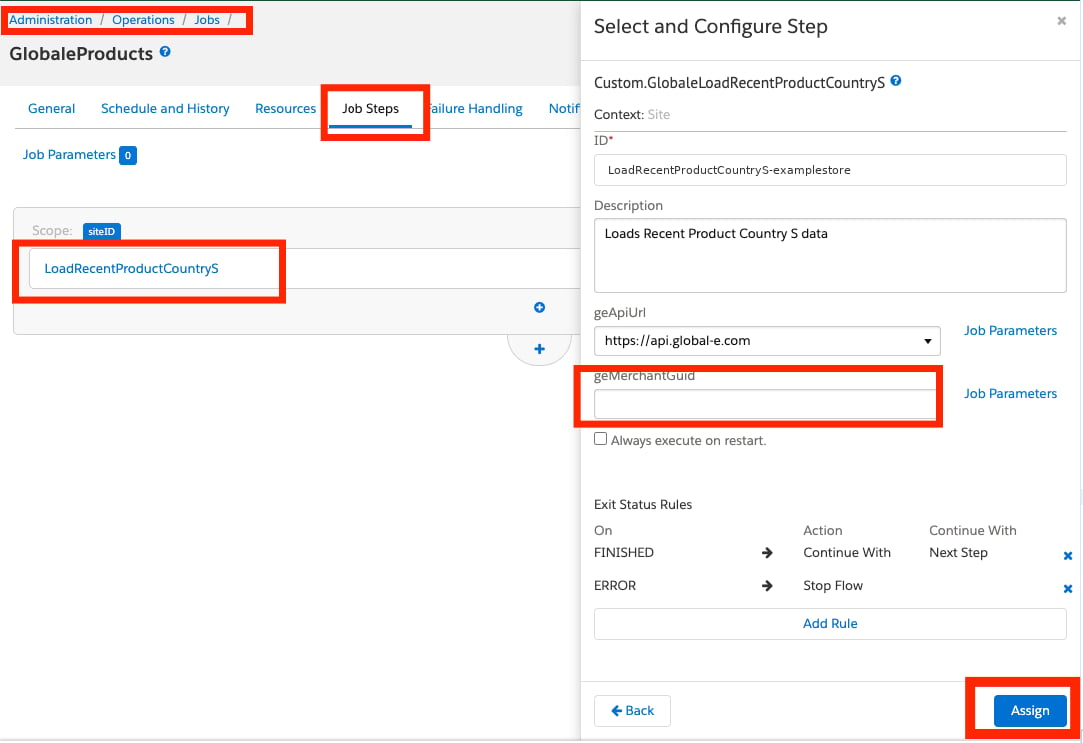
Which of the two locations holds the GUID depends on your cartridge version. Old versions of the Global-e SFCC cartridges — open the job’s step configuration and update the Merchant GUID parameter with the new GUID. The following figure shows theLoadRecentProductCountryS step configuration, with the geMerchantGuid parameter:
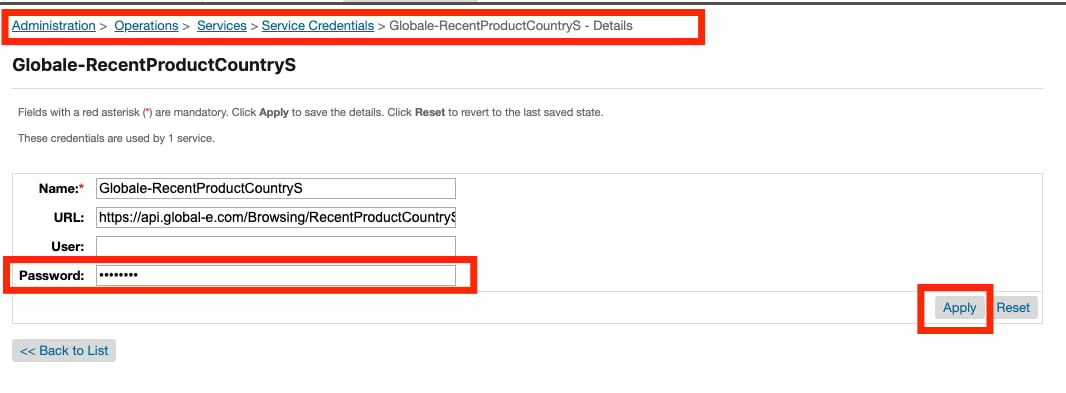
Globale-RecentProductCountryS exists. If it does, open it and update the Password field with the new Merchant GUID.
The following figure shows the Globale-RecentProductCountryS row under Service Credentials:

If the job is missing or disabled
No changes to theGlobaleProducts job are required.