Accessing Restricted Products
This page describes how to access Restricted Products.
To access Restricted Products
Navigate to Merchants > Product Management > Product Restrictions from the top menu.
From the Merchant menu, select a merchant.
The restricted product identifier or name screen is displayed:
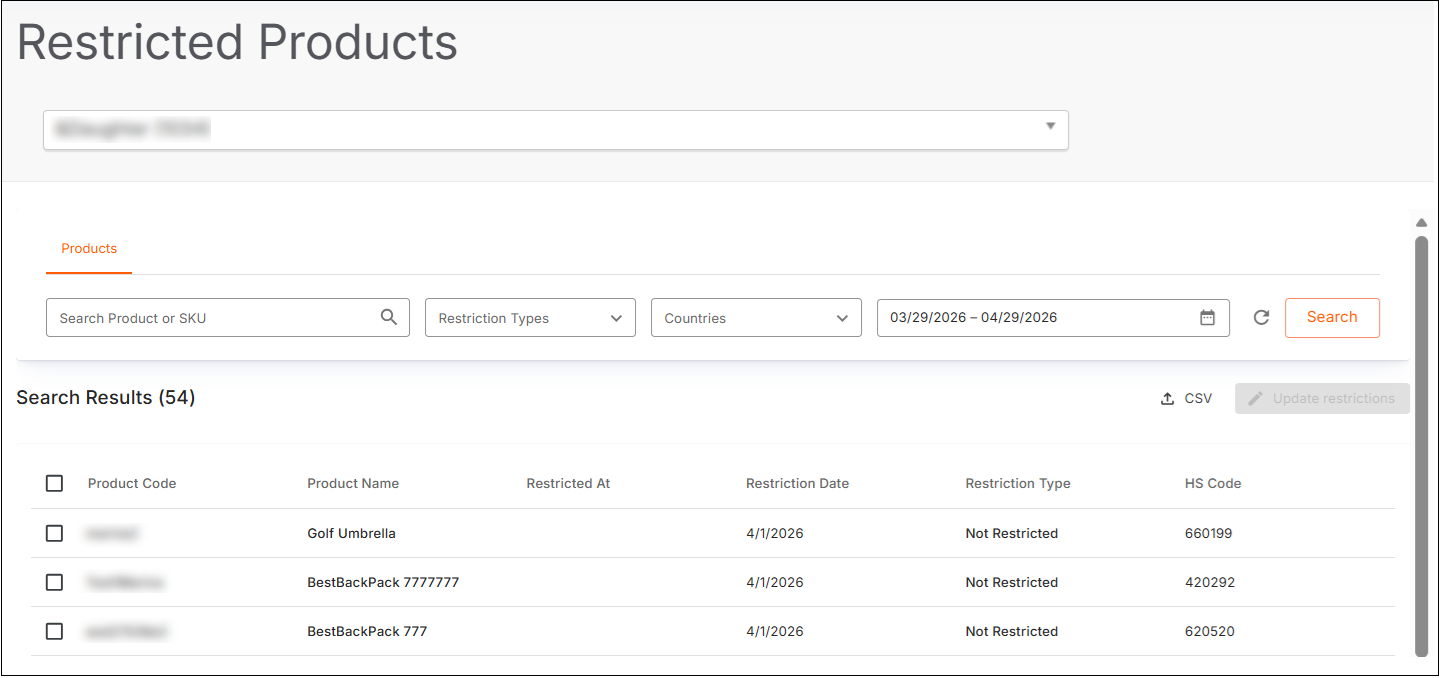
Search for your restricted product(s):
Search Product or SKU - type part or all of the product name or SKU number.
Restriction Types:
Not Restricted
Commercial
Regulatory
Dangerous Goods
Countries:
Click Select All to select all countries in the list
Make individual selections
Date range calendar - select a date range
Click Search.
The results are displayed.
Continue with ???.