Global‑e Order Information
To view the Global-e order information:
In the Shopify Admin, go to Orders.
The Orders screen opens, showing the list of orders (Global-e and non-Global-e Orders).
Click a Global‑e Order.
The Global‑e order details screen opens.
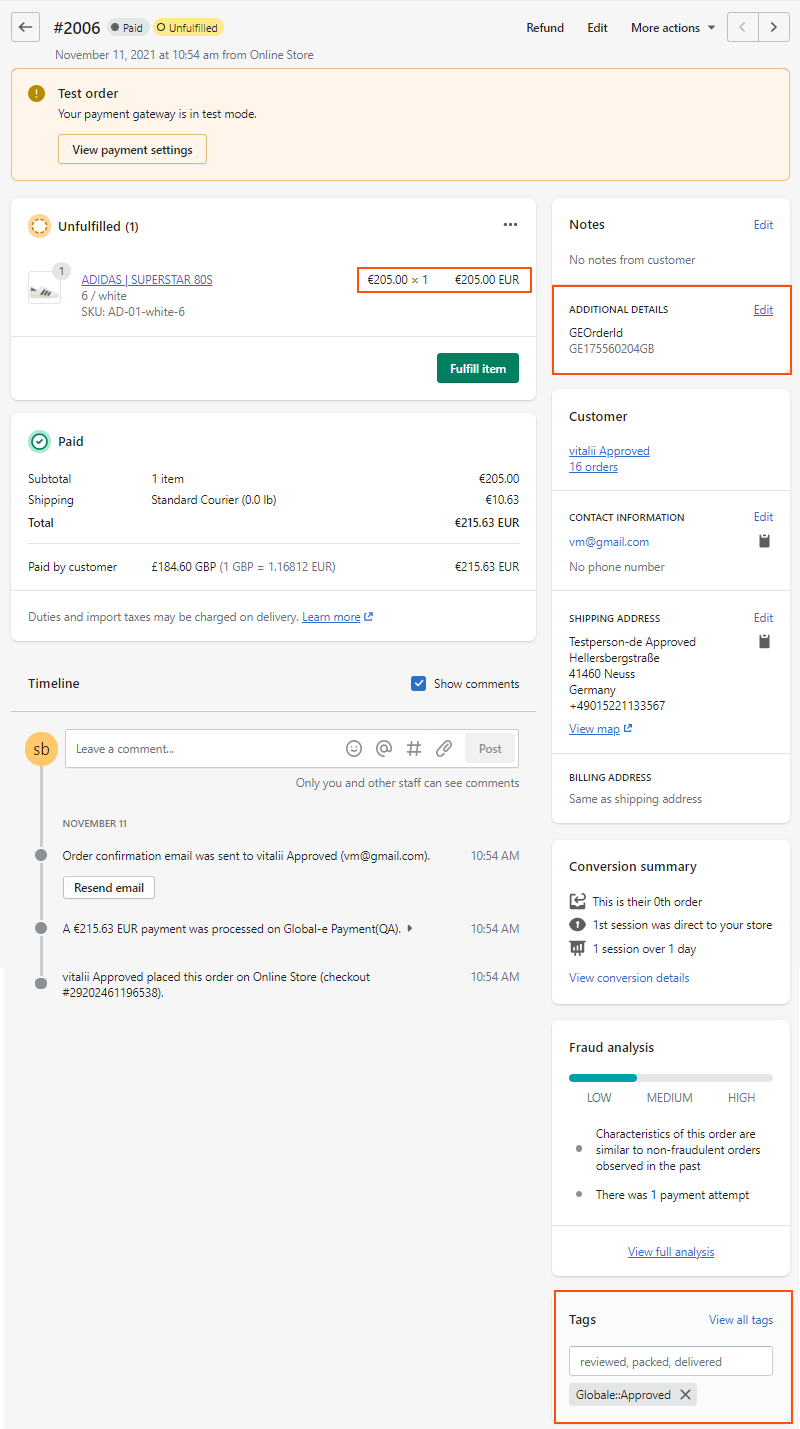
The Global‑e details screen provides the following information:
The
Global‑e Order ID(under Additional Details). The Global‑e Order ID starts withGEand ends with the merchant's country code. In this example, the Global‑e Order ID is GE175560204GB.The price that the shopper paid in local (customer) currency. In this example, the price is €205.00
The duties and taxes in merchant and shopper currencies
Customer Information
When fulfilling the order, this screen shows both tracking Information and a tracking link. In addition, the order shipment information shows the tracking number.
Global‑e order tag:
Globale::Approved.Order Status. See Global-e Orders in Shopify for more information on statuses.
Shopify Order Data Examples
This Shopify store belongs to a US merchant and the storefront currency is in USD.
Below are two different order scenarios in which a single product is purchased:
Duties & taxes are paid by the customer – the checkout explicitly displays D&T-related line items.
Duties & taxes are inclusive/baked into product prices – the merchant subsidizes the D&T costs.
Scenario 1: Duties & taxes paid by the customer
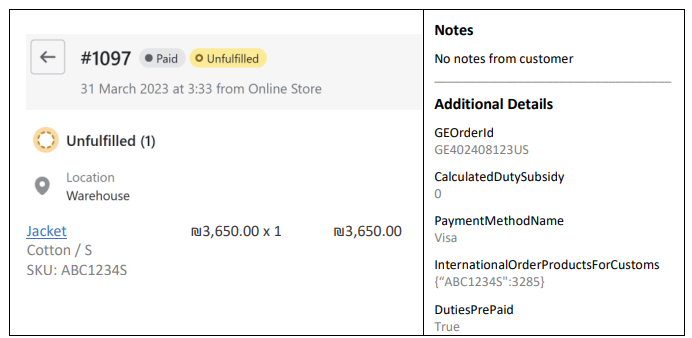
Market: Israel.
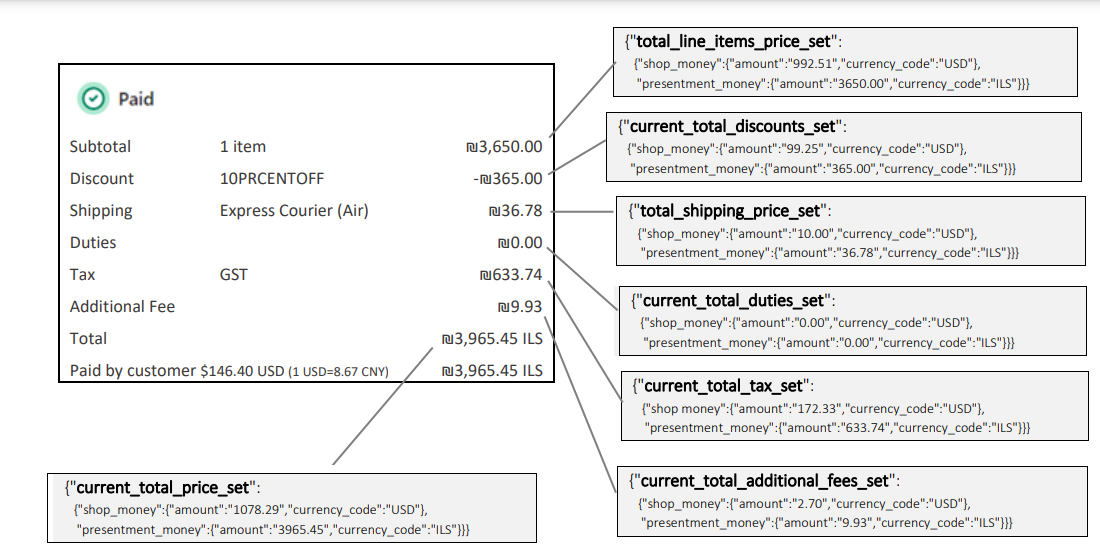
The customer pays separately for all the D&T-related costs including the customs clearance fee (CCF) represented here in the “Additional Fee” field.
Note
The Additional Details section is for information and is not required for data consumption. CalculatedDutySubsidy represents the total order level subsidy in storefront currency. In this example, there is no subsidy for this order, hence the $0.
Important
The Additional Fee set is a new Shopify data line available in Shopify’s API release version 2023-04. See https://shopify.dev/docs/api/admin-rest/2023-04/resources/order for reference.
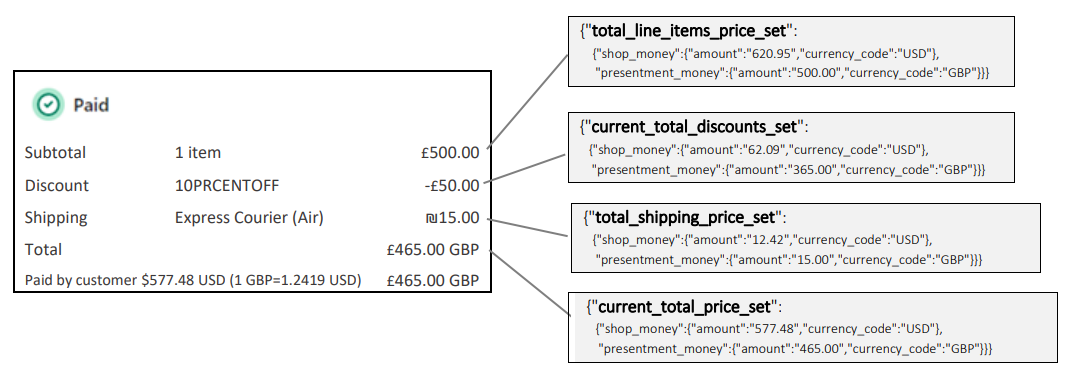
Scenario 2: Duties & taxes are included in the product price
Market: United Kingdom.
Duties, taxes, and customs clearance fees are all-inclusive in the £500.00 product price in this example.
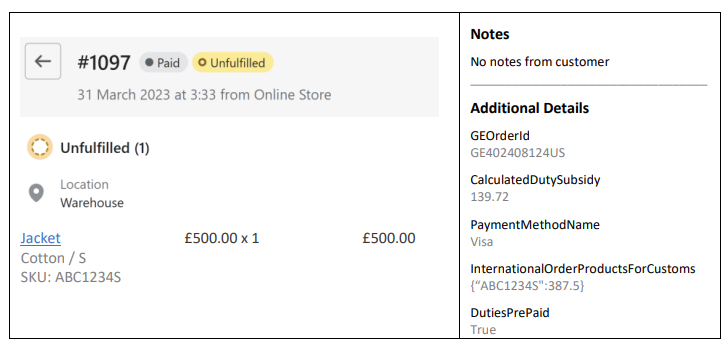
CalculatedDutySubsidy 139.72 USD includes duties, VAT, and CCF.
Note: the D&T line items do not appear in the order details at all.
Conclusion
Duty, tax, and customs clearance fees (CCF) are all part of the overall duties and taxes calculation.
When a customer’s checkout displays duty & tax-related fees, these costs appear as order line items.
Any subsidized costs, whether both duties and taxes or just duty or just taxes – appear in the note attributes
CalculatedDutySubsidyfield.
Shopify Order JSON example
A full example of an order JSON file can be downloaded here:Shopify Order JSON example.