Import Metadata
Before you begin using the Global‑e cartridge functionality you have to import Global‑e metadata (metadata/*.xml)
Metadata File Name | Description |
|---|---|
globale.system.xml | System object Global‑e custom attributes |
globale.custom.xml | Global‑e Custom object definitions |
globale.services.xml | Global‑e Services, to be used by Global‑e cartridge |
globale.jobs.xml | Global‑e Scheduled Jobs |
globale.paymentmethods.xml | Global‑e Payment Methods |
globale.shippingmethods.xml | Global‑e Shipping Methods |
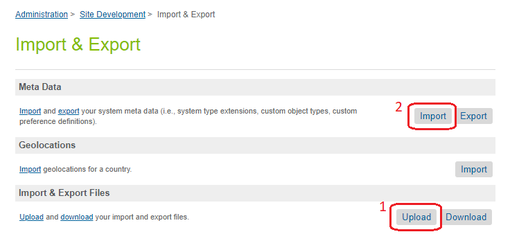
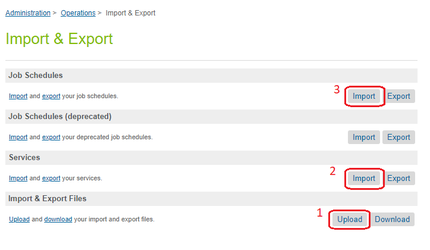
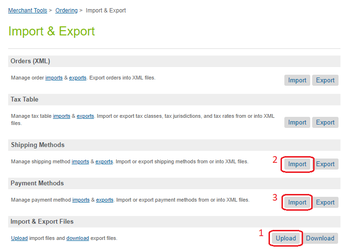
Import these files in the following order (all in MERGE mode):
for globale.system.xml and globale.custom.xml files:
for globale.services.xml and globale.jobs.xml files:
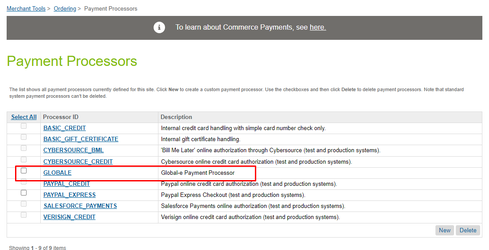
Create the GLOBALE Payment Processor manually.
For globale.paymentmethods.xml and globale.shippingmethods.xml files:
Check the Tax Class for Global‑e Shipping Methods after a fresh import, as it might be reset to an undefined or non-existing Tax Class.