Site Customisation
This section does not apply to Shopify. For information about Shopify, see Shopify Native. |
The Site Customisation page describes the following:
Desktop vs Mobile Dimensions
Accessing the Customization Page
Configuring Your Switcher Popup Page
Configuring Your Checkout Page
This page describes how to configure your checkout page. A preview of your banner is displayed on the right side of the screen.
Note that you can reset your settings to their default configurations by clicking Reset to default at the bottom of the page.
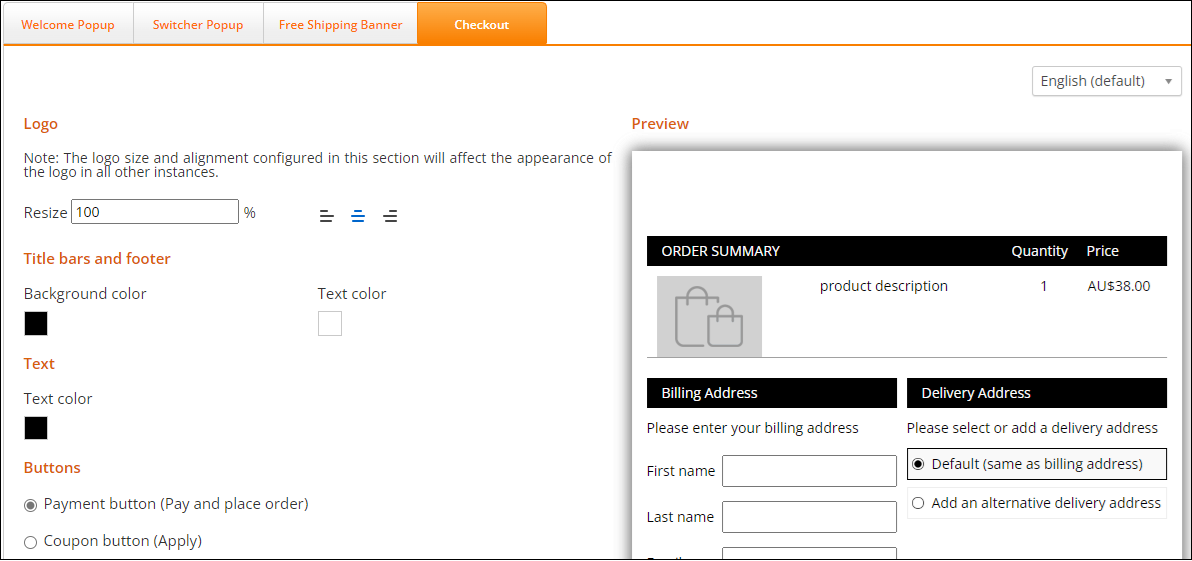
Follow steps 1 and 2 in Accessing the Customisation Page.
Click Checkout.
Select a language from the language menu located at the far right of the page.
Modify the following design settings as needed:
Logo - Lets you resize and adjust the logo in all places where it appears, such as the Checkout page and customer facing notification emails.
Title bars and footer - Lets you set the background and text color of your title bars and footers.
Text - Lets you set the body text color.
Payment button (Pay and place order) - Lets you set the text, size, and text type of the Payment button
Coupon button (Apply) - Lets you set the text, size, and text type of the Apply button.
Normal mode - Lets you set the button text color, body color, and border color for the selected button (Pay and place order or Apply).
Hover mode - Lets you set the color shown when you hover over the selected button (Pay and place order or Apply).
Total price - Lets you set the color, font, size, and text type of the total price.
Click Cancel, Save, or Reset to default.
For examples of the appearance of the Checkout page, see Page Design.
Page Design
Customizing the Checkout and Confirmation Pages
This section details the items that are customisable on both the Checkout and Confirmation pages.
You can use this Figma page to make any customizations that you require. Duplicate and modify the file as needed.
Note
The checkout page layout is fixed (it cannot be changed).
For information about customizing your Checkout page, see Configuring Your Checkout Page.
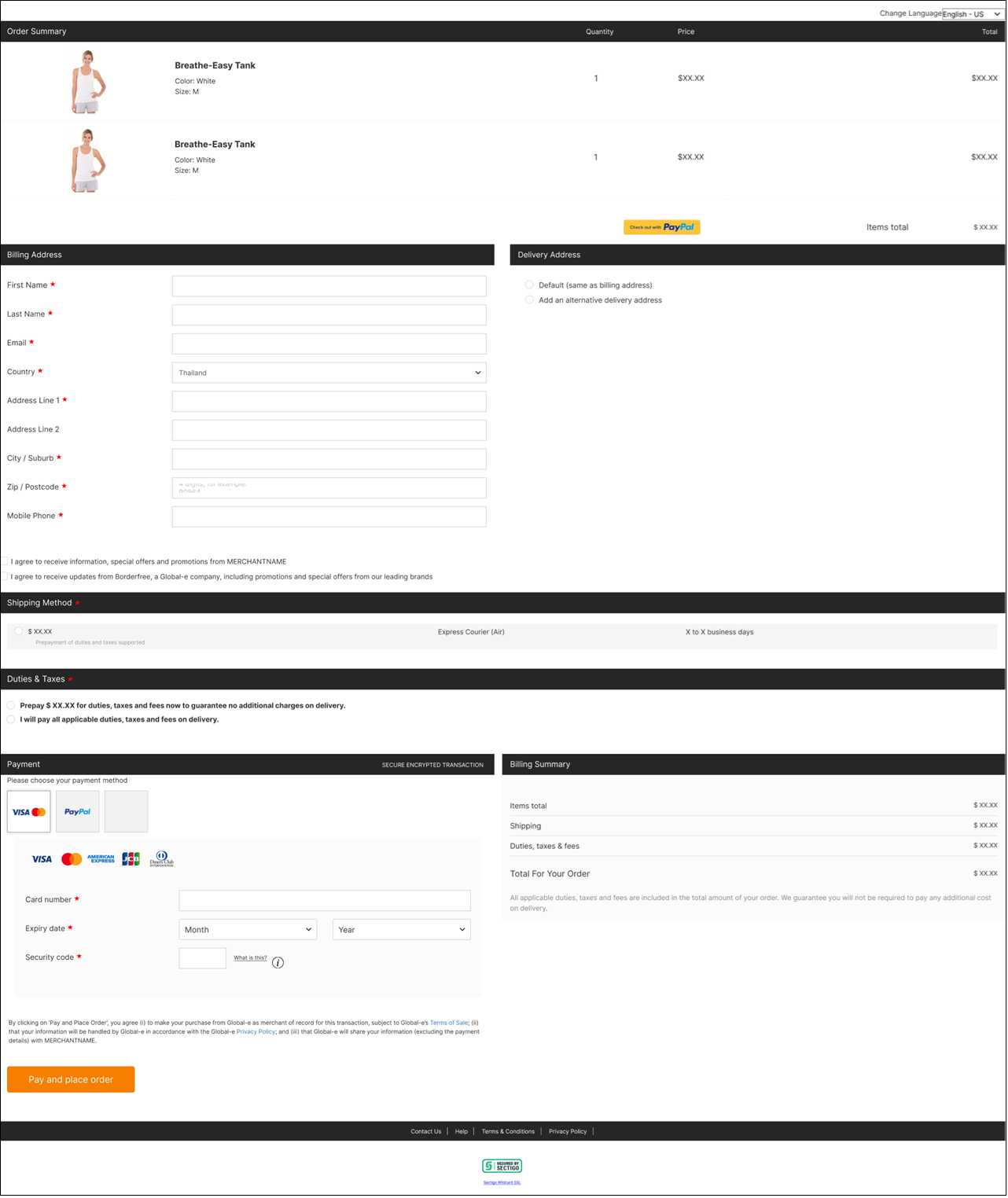
The Checkout page shows the following:
Order Summary
Billing and Shipping Addresses
Shipping Method
Billing Summary and Payment
The following figure shows the Desktop Checkout page:
The following figure shows the Desktop express checkout payment buttons:

The following figure shows the Mobile Checkout page:

The following figure shows the Mobile express checkout payment buttons: