Viewing Orders
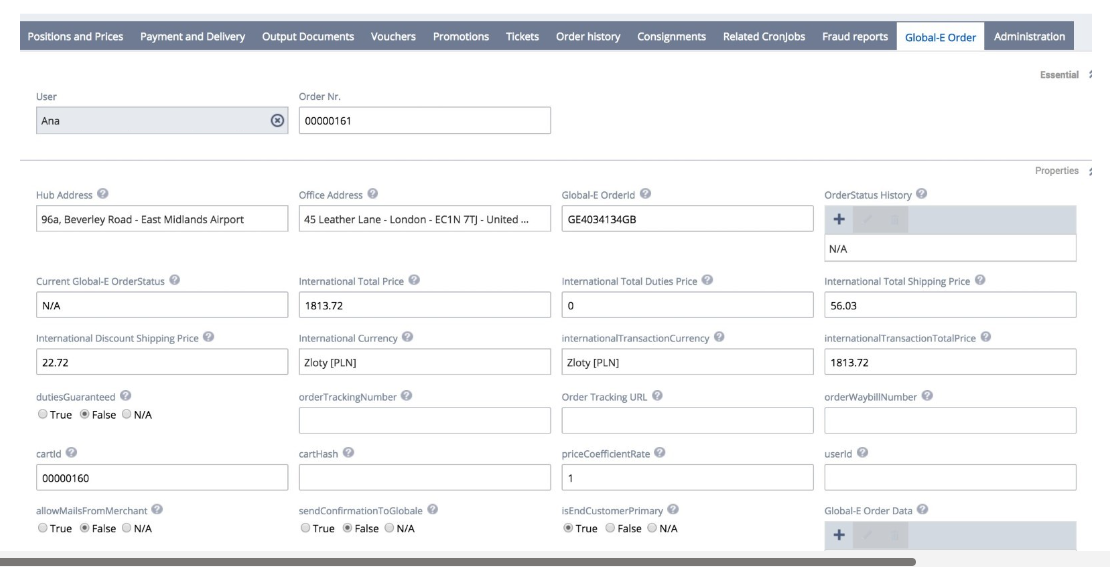
Once Global‑e creates the order on SAP Hybris, it adds an extra tab called 'Global‑e order' to the order details. The Global‑e tab contains Global‑e-specific information, such as order IDs, international processes, order tracking URLs, and currencies.
Global‑e Order Screen (Tab)
Global‑e Order ID
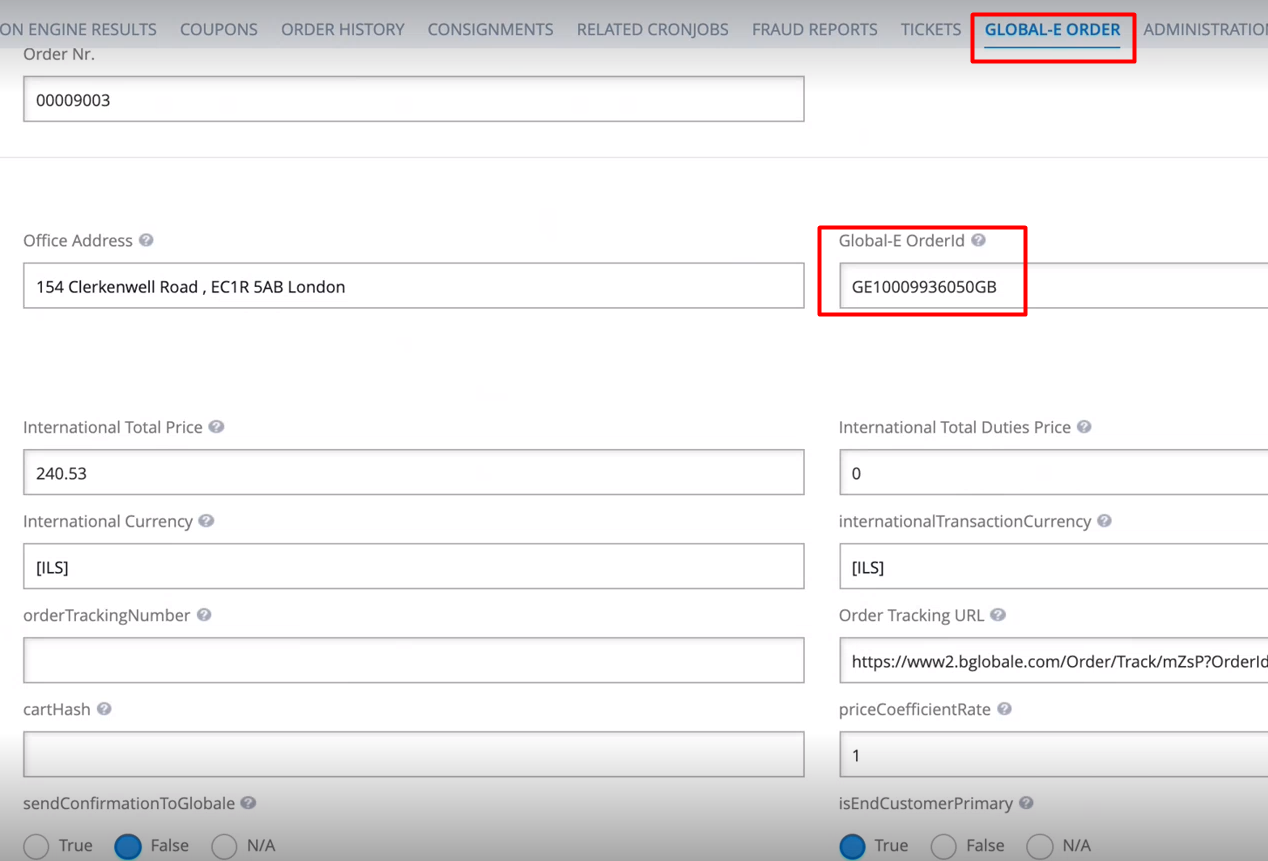
To search for Global-e orders in Backoffice, use the Hybris OrderID or the Global-e OrderID starting with GE.
You can also view Global-e orders in the Customer Services Tools.