Amend an Order
Shopify can support amending orders before an order is fulfilled, for example, when an item is out of stock or needs to be cancelled, however it is performed using the Shopify Refund process. Therefore, to make changes to an order you need to follow the same instructions as for processing a refund in Shopify.
Note that although the Order Page menu does include an Edit option, you cannot use it to amend an order since the changes are not recognized by Global-e.
To amend an order:
Go to the Shopify Admin screen.
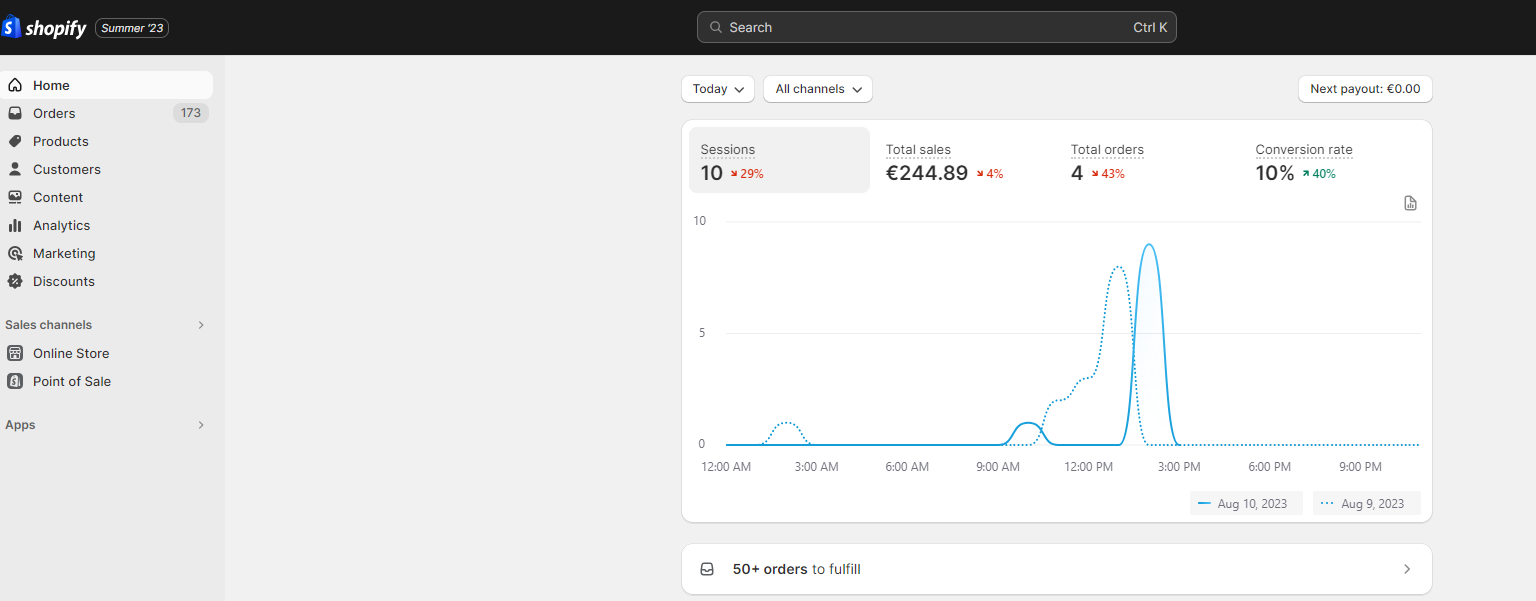
In the left navigation bar, click Orders.
The list of orders is displayed.
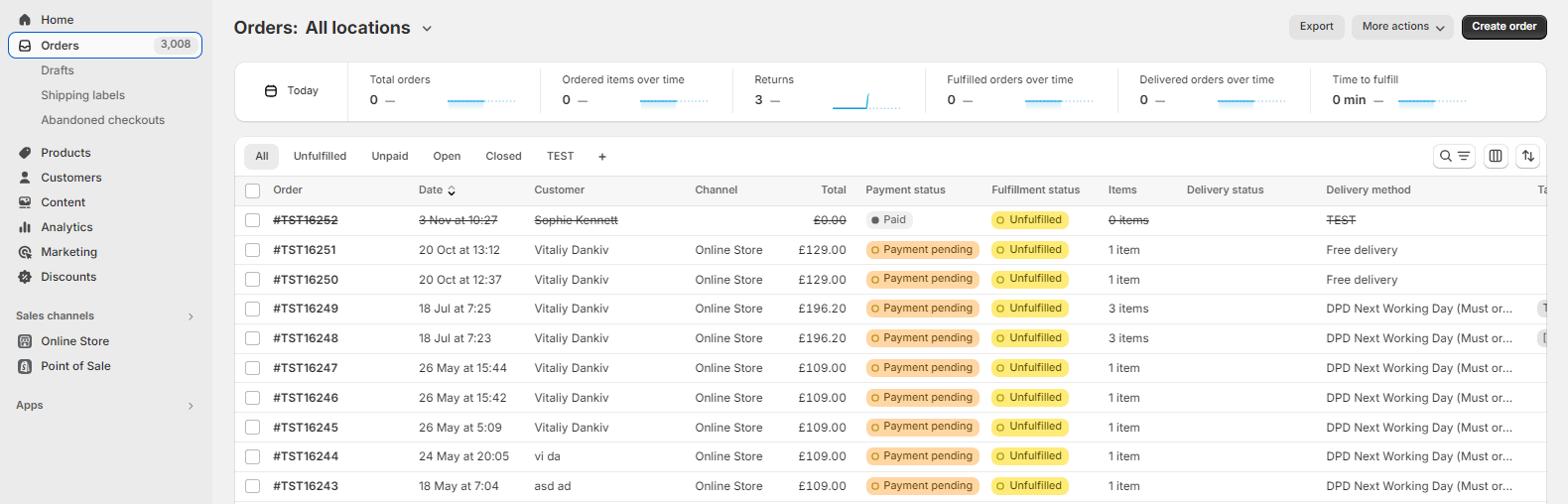
Select the order which you want to amend.
The order page opens.
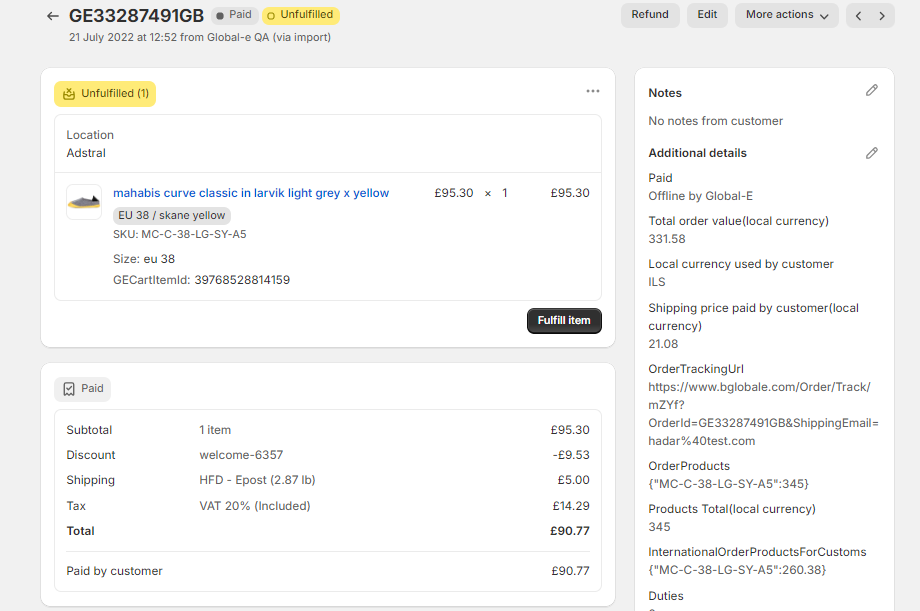
At the top-right of the page click Refund.
The Refund page opens.
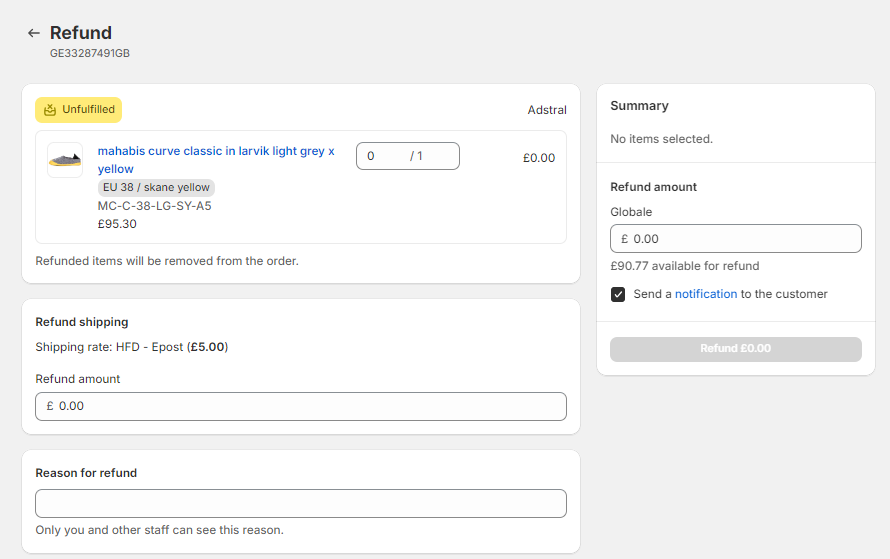
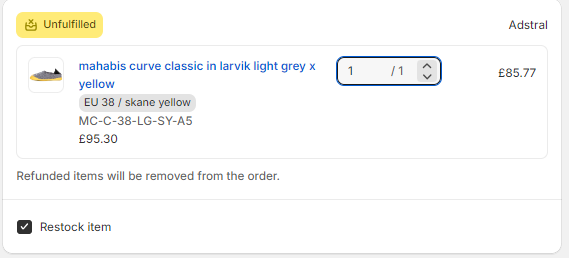
Enter the number of items to remove from the order.
If you don't want the item to be restocked, unselect the Restock Item option.
The Summary section displays the change.
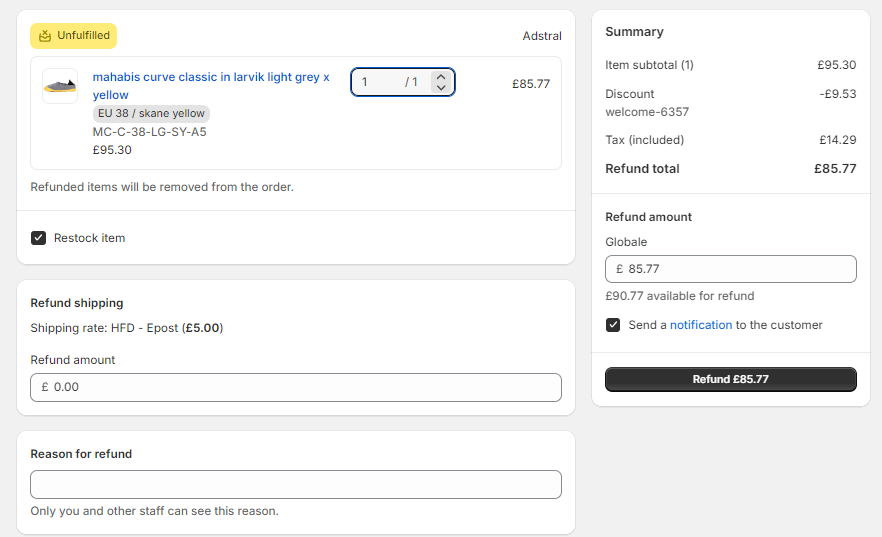
At the bottom of the page, you may include a reason for the refund.
Click Refund $(amount) to finalize the amendment.
The order is amended, and a notification email is sent to the customer.