Cancel an Order
Before an order is fulfilled, the merchant can initiate an order cancellation from Shopify. Orders are canceled directly through the Shopify Admin.
Important
An order that has been fulfilled or shipped cannot be cancelled.
Cancelled orders are not included in reports.
An automatic refund is issued, for the full order amount or the captured amount, for every order cancelled.
To cancel an order:
Go to the Shopify Admin screen.
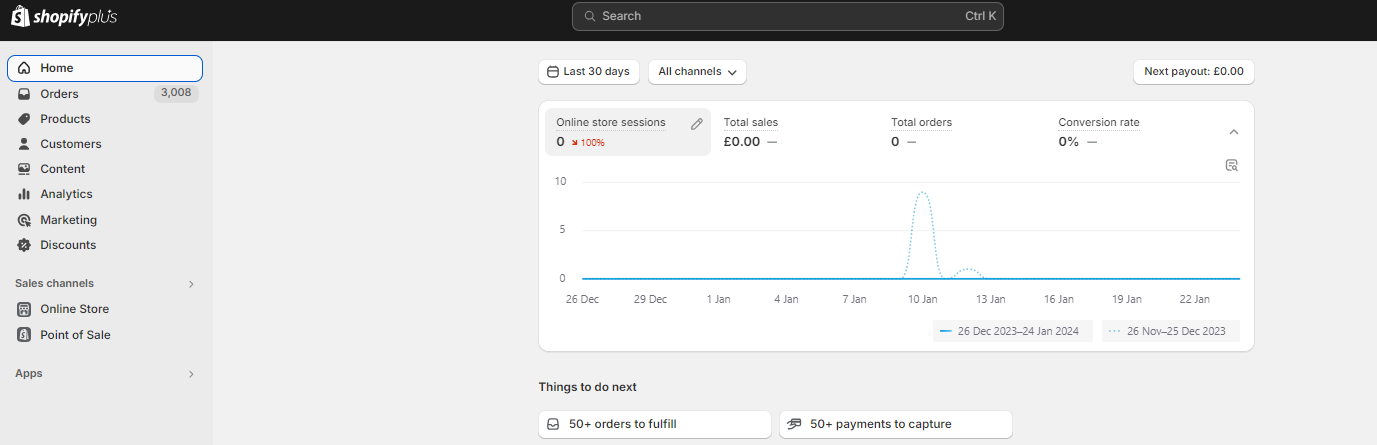
In the left navigation bar, click Orders.
The list of orders is displayed.
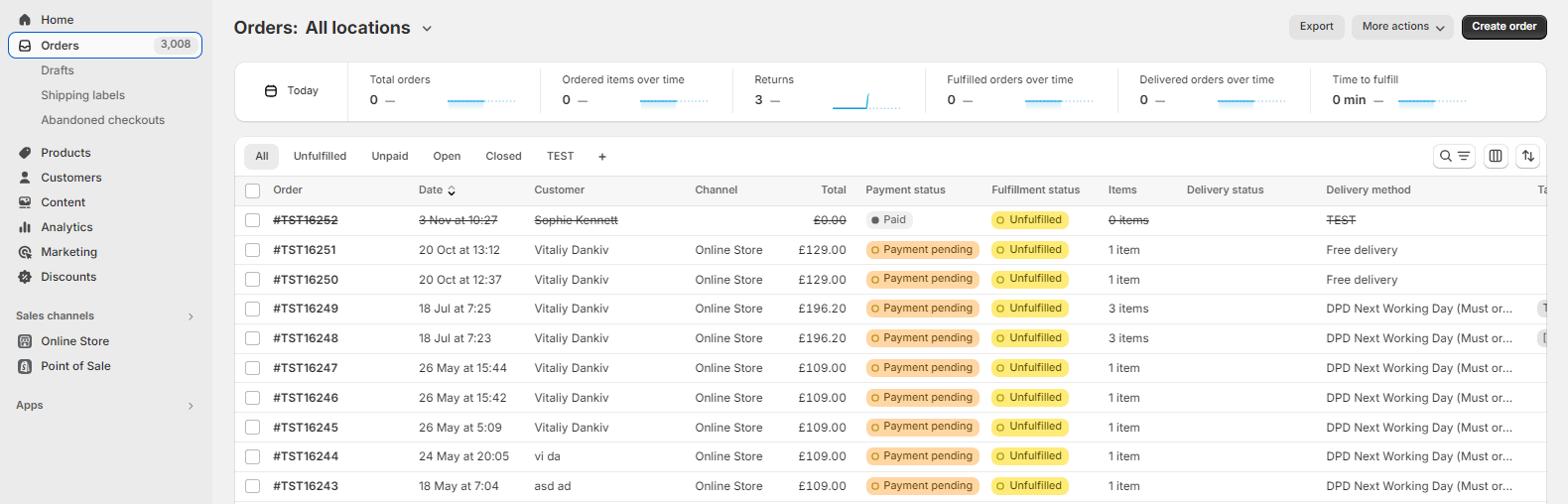
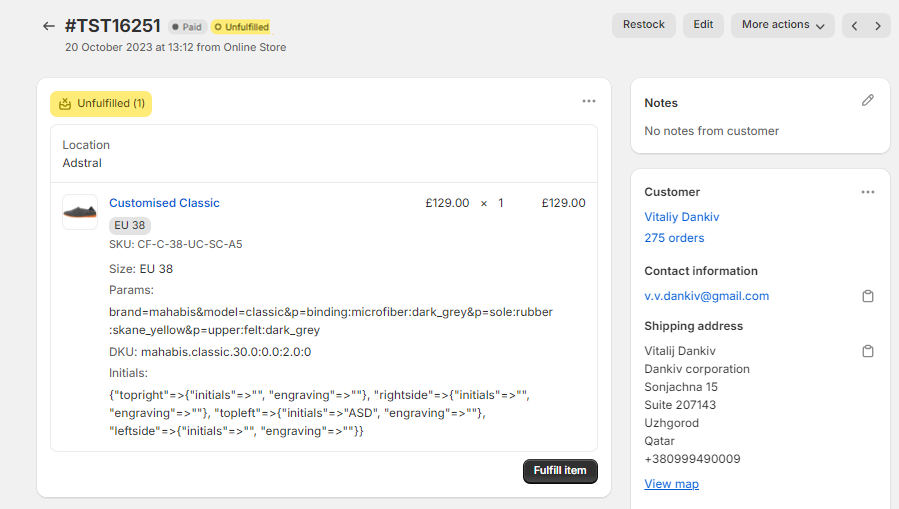
Select the order that you want to cancel.
The order page opens.
At the top-right, select More actions > Cancel Order.
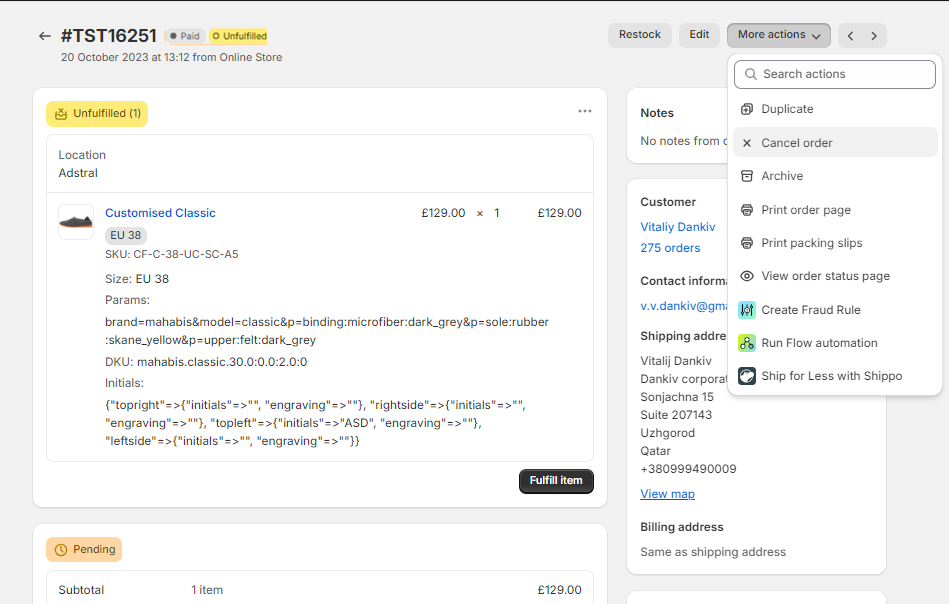
A confirmation window opens.
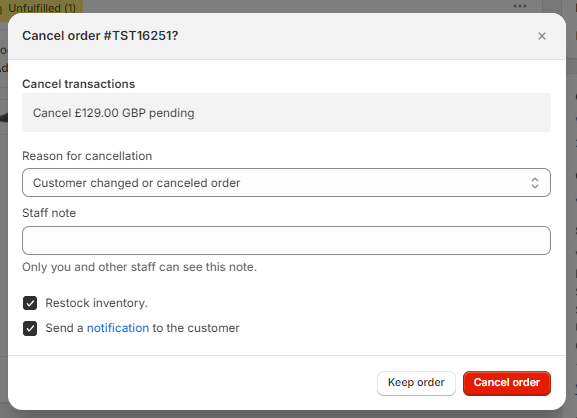
In the confirmation window, select a reason for the cancellation, and click Cancel Order.
If you do not wish to restock the inventory or have a notification sent to the customer, unselect those boxes.
The order is canceled and an email is automatically sent to the customer notifying them of the cancellation (unless you choose not to send a message).