

1. Prerequisites
- Have your GARAN label image(s) and harmonised notice content ready (per regulation guidelines here), including any per-market translations.
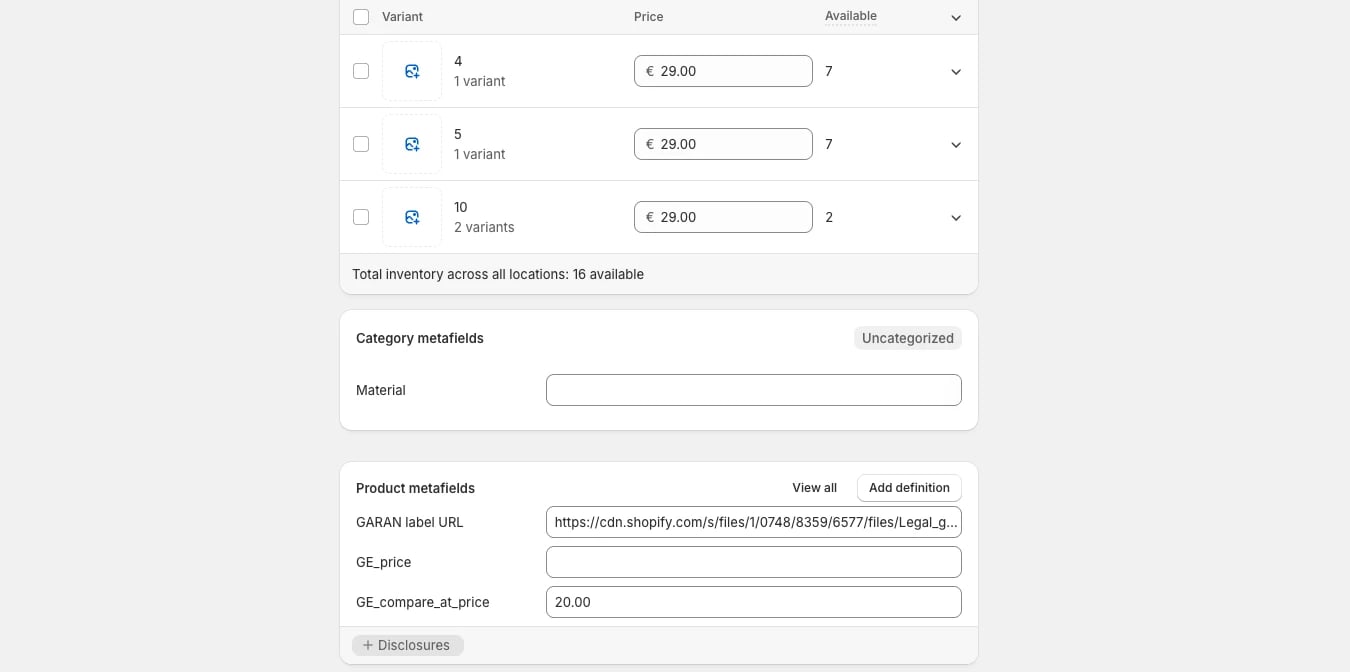
- Decide how you’ll store the label per product. The common approach is a product metafield holding the label’s image URL, set per product (or per product type, if the label is shared).
- Host the harmonised notice image (or translated variants) somewhere accessible to your theme and email templates.
-
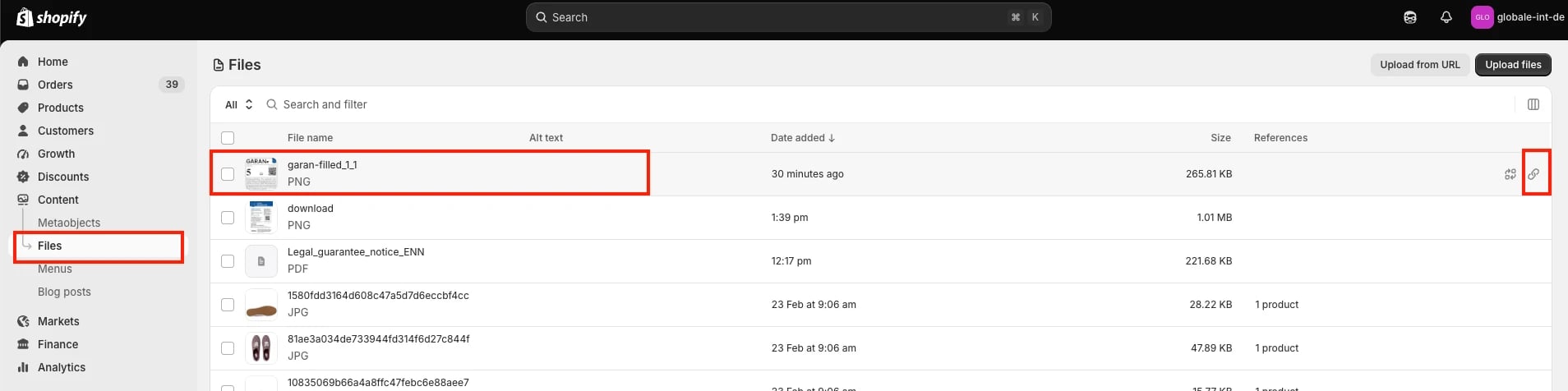
Upload your harmonised notice PNG (and any translated variants) to Content > Files, and note the resulting file URLs.
-
In Shopify admin, navigate to Settings > Metafields and metaobjects > Products and add a metafield definition to hold the GARAN label URL (e.g. a “URL” type field).
2. Harmonised notice on the storefront
Unlike the GARAN label, the harmonised notice is not tied to a specific product; it must be visible somewhere on the storefront to any shopper browsing from an EU/EEA country, regardless of what they’re viewing. The footer is a common, low-effort placement since it’s already present on every page.- Add the harmonised notice (as text, an image, or a link to a dedicated page) to a site-wide element such as the footer.
- Gate its visibility to EU/EEA visitors only. Most themes already have some form of country/market detection you can reuse for this.
- Navigate to Online Store > Themes > Edit code.
-
Open the theme’s footer section file.
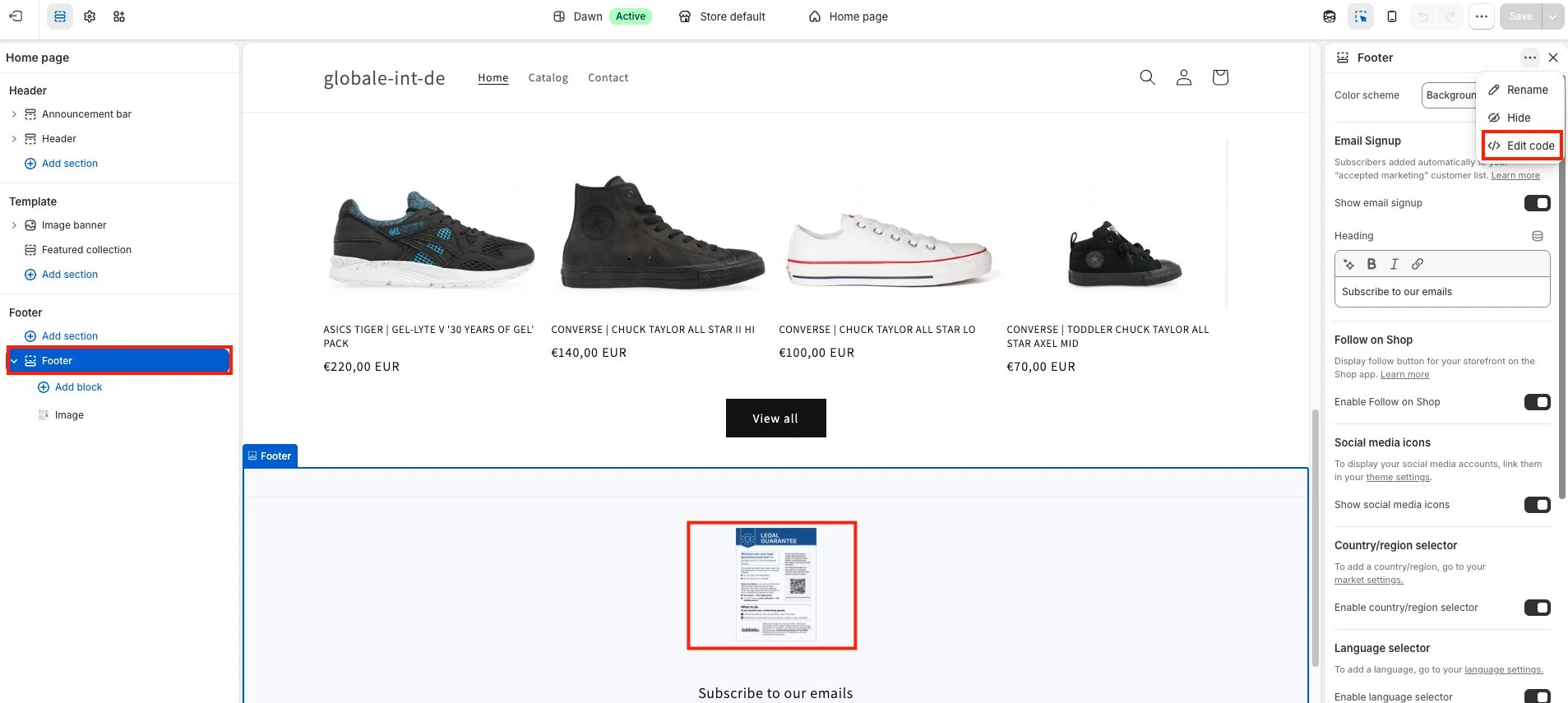
- Insert the harmonised notice (image or text), gated to EU/EEA using your theme’s existing localization/market logic.
- Save, then preview the storefront with an EU market/location selected to confirm it appears.
3. GARAN label on the product page (PDP)
- Embed the GARAN label on the product page, visible to the shopper before purchase. Placement is flexible (near the product description, in a dedicated info block, etc.) as long as it isn’t hidden behind an extra click, e.g. a collapsed tab that must be manually opened isn’t sufficient.
- Gate rendering on the metafield being populated, so products without a label don’t show a broken image.
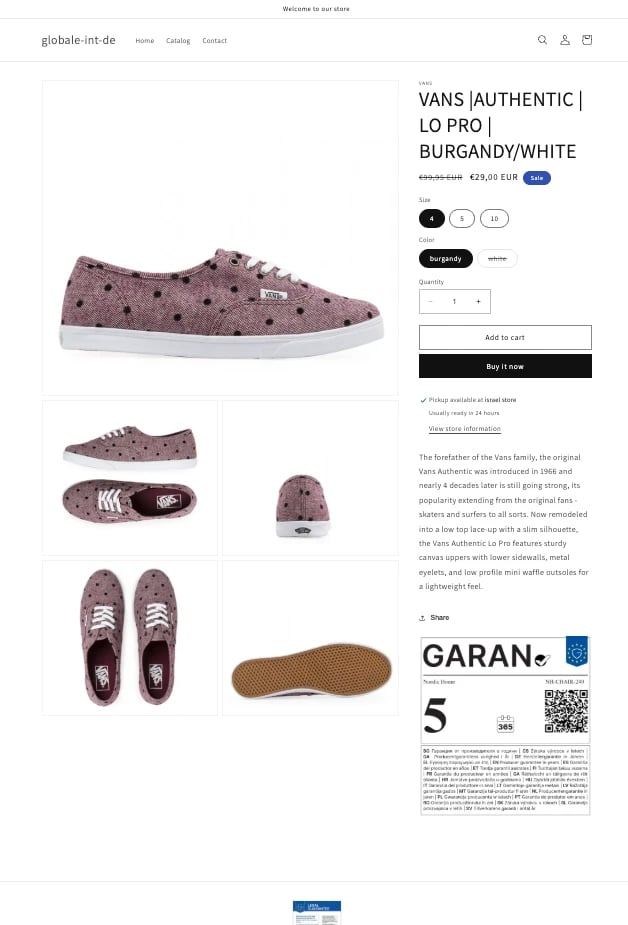
- Still in Edit code, open the product template/section file used by your theme (e.g. the main product section).
- Insert a snippet that reads the GARAN metafield for the current product and renders it as an image, only when the metafield is populated.
- Save, then preview a product that has the metafield populated to confirm the label renders.
4. Harmonised notice in the order confirmation email
The harmonised notice must appear in every order confirmation email sent to an EU/EEA shopper, regardless of whether any product in the order has a GARAN label. The email footer is a natural place for it, since it’s rendered once regardless of cart contents.- Add the harmonised notice to the email footer (or another location that renders on every order).
- Gate it to EU/EEA destinations, based on the order’s shipping (or billing, if you don’t collect shipping) country.
5. GARAN label in the order confirmation email
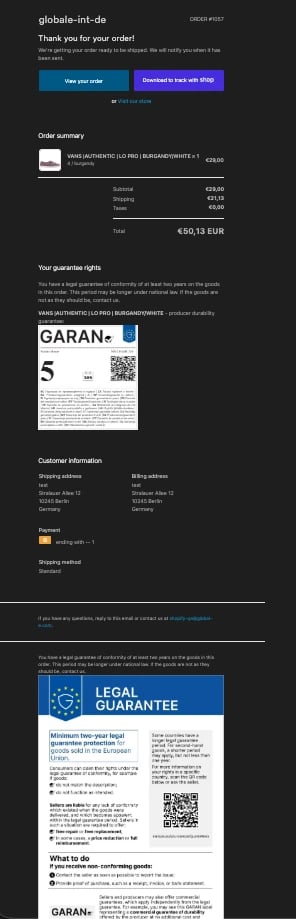
This is separate from the notice above, and only applies when the order contains a product with a GARAN label.- Embed the GARAN label(s) for the relevant line item(s) in the email body.
- Shopify’s native notification templates don’t support true file attachments. This is a platform limitation, not something you can configure around. Two paths:
Most merchants use Path A, since it needs no additional app.
- Gate the GARAN block to EU/EEA destinations only (based on shipping country), so non-EU/EEA orders don’t see it.
-
Reuse the same per-product metafield from step 1 to pull each order’s GARAN label(s) into the email.
-
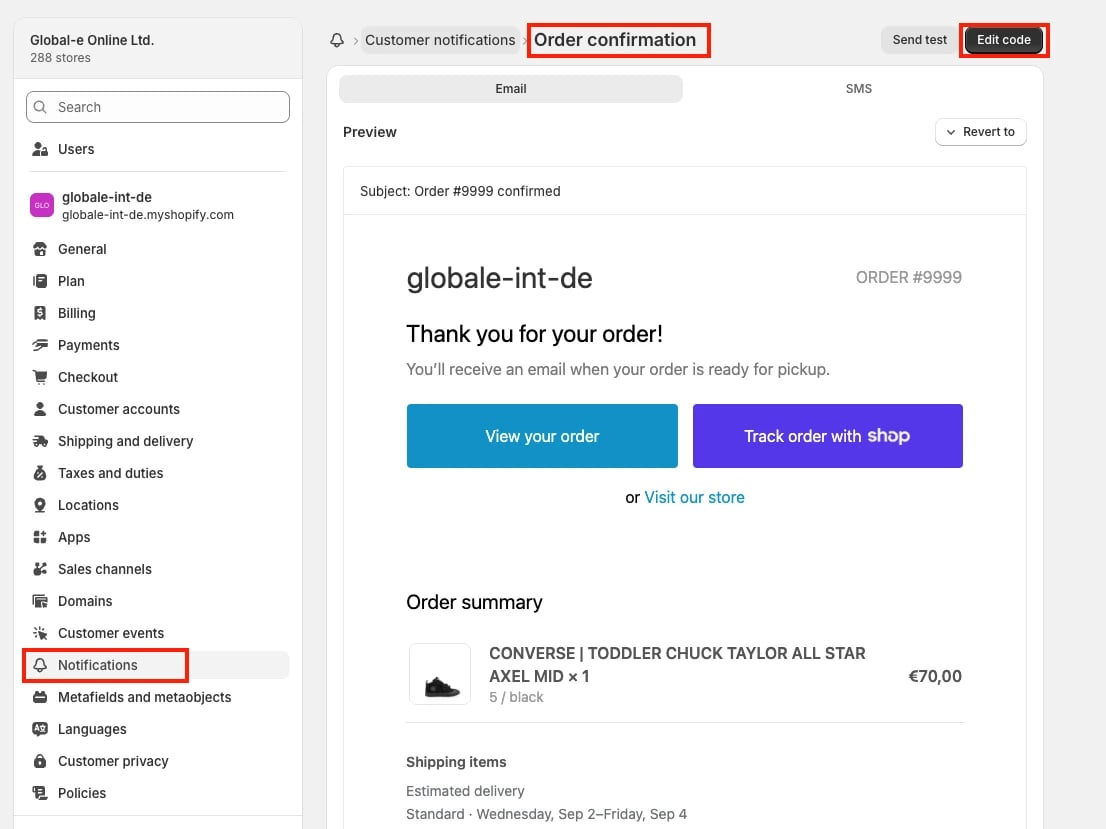
Navigate to Settings > Notifications > Order confirmation, then Edit code.
-
Insert the harmonised notice into the email footer, gated to EU/EEA shipping destinations, so it appears on every EU/EEA order.
Snippet example
-
Separately, insert code to embed the GARAN label(s) for line items whose product has the metafield populated, also gated to EU/EEA.
Snippet example
- Save, then send a test order to confirm both the notice and the label render correctly.
6. Test before going live
- Place a test order shipping to an EU/EEA address and confirm the harmonised notice appears in the email footer, the GARAN label appears for eligible products (in both the email and the PDP), and nothing breaks for products without a label.
- Place a test order shipping outside the EU/EEA and confirm the notice and label do not appear.
7. Ongoing maintenance
- Populate the GARAN metafield for every new product going forward. Nothing enforces this automatically, so it’s a manual step in your product-creation process.